The ZKTeco F17 is a biometric access control module designed for outdoor use, featuring an IP65-rated waterproof and dustproof design. This makes it suitable for various environments, including homes, offices, shops, garages, and factories.
The device configuration is equipped with advanced features such as an infrared detection fingerprint sensor, which ensures precise and swift authentication. It supports multiple verification modes, including fingerprint, PIN, and card (EM standard, with optional Mifare support), catering to diverse security requirements.
Zkteco F17 Admin Fingerprint Setup and Configuration
Step 01
Press the Menu Button
Step 02
If you do not have an Admin Password setup, continue to Step 5
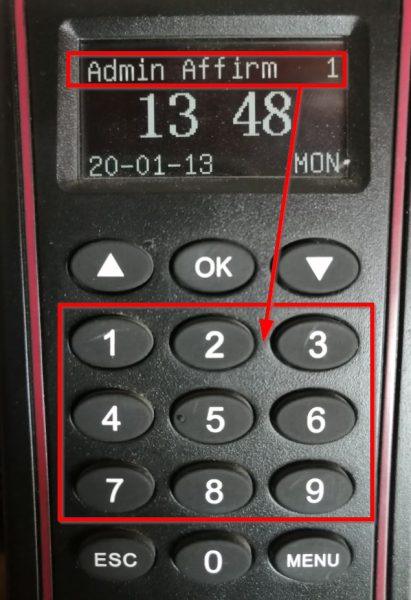
If you have an Admin password set up, it will show Admin Affirm 1 –
Start typing your Code/Pin, for example 999999.
Step 03
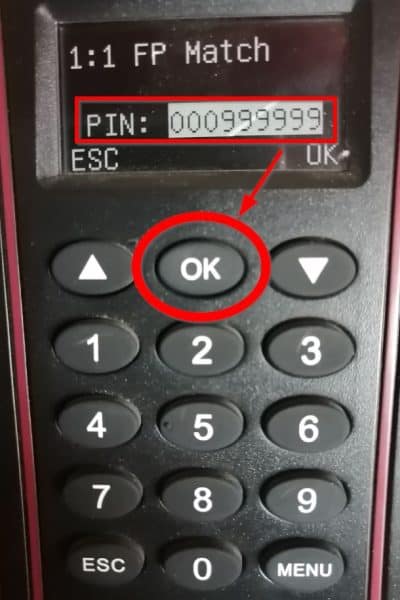
After you entered the Code/Pin, Press OK.
Step 04
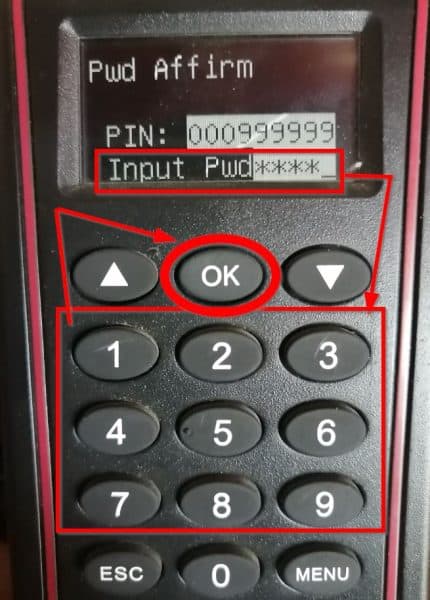
Enter your password using the keypad and then Press OK.
Step 05
You are now in the MENU section. For this task, we will select User
Manage and then Press OK.
Step 06
Select Enroll Admin and Press OK.
Step 07
Select Enroll FP ( Fingerprint ) and Press OK.
Step 08
Scroll down to choose Admin under Admin Accredit and Press OK.
Step 09
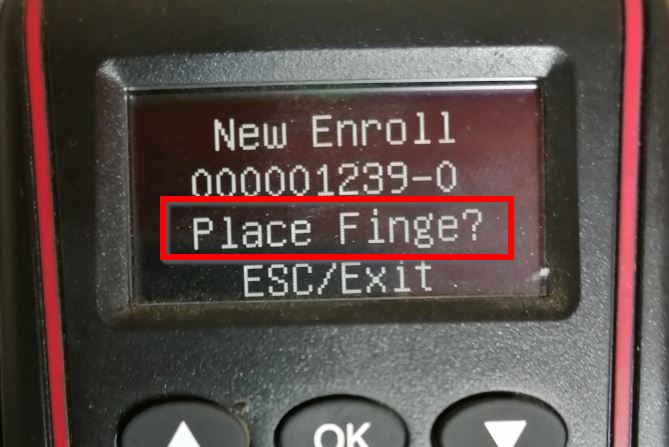
It will then ask if it is a New Enroll, which it is, so Press OK.
Step 10
You will see a prompt for a PIN, which the administrator must enter to access the Menu. Once entered, click OK to move forward.
Step 11
Choose a finger that the admin will be using to access the Menu, and let them put that finger on the fingerprint reader once and lift up.
Press the same finger down for a second time and third time. If the finger was not successfully enrolled, it will ask to try again.
Just repeat Step 10, otherwise move to Step 11.
Step 12
It will then ask to save, so Press OK.
Step 13
After you save, it will ask if you want to do a New Enroll. You can select OK if you want to continue enrolling another Admin, or just Press the ESC (Escape) button till you reach the Home Screen. You can now ask the admin user to test.
Zkteco F17 - Admin fingerprint
Contact Biosyn at sales@biosyn.online for further information about the Zkteco F17 time & attendance terminal standalone or networked operations
Our Consultants will guide you on how the setup process works.