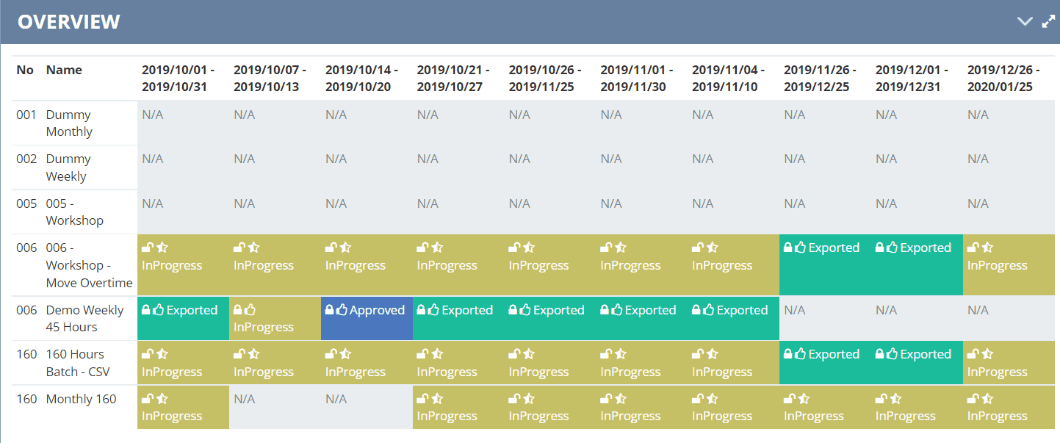
Our Export Overview screen serves as a valuable destination tool for monitoring batch statuses, particularly when dealing with numerous batches and companies within the system’s registration.
Moreover, it provides a comprehensive view of the export process.
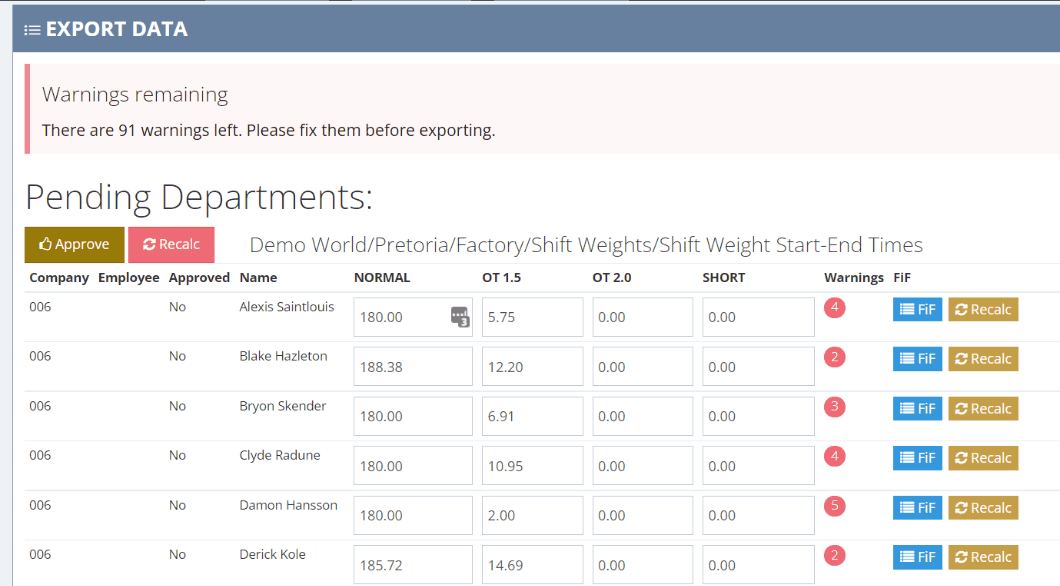
Our Export to Payroll features significantly enhance time and attendance processes. For instance, the system includes the option to manually override values while seamlessly maintaining a full audit trail. Additionally, the FiF – Find it Fast! feature clearly shows you exactly how the system calculated those values and implemented specific rules. Furthermore, you have the flexibility to approve and unlock data per department.
At the same time, the system displays real-time progress across various departments. To ensure no stone is left unturned, warnings and exceptions are clearly displayed per batch and per employee. Ultimately, once a department has been approved, the data gets locked automatically to prevent any further changes after the payroll period.
The security side of batches
Access control and audit trails
A full audit trail is kept of all changes, approvals or unlocking of departments and data. This ensures complete tracking of activities performed by each users with access to the batches.
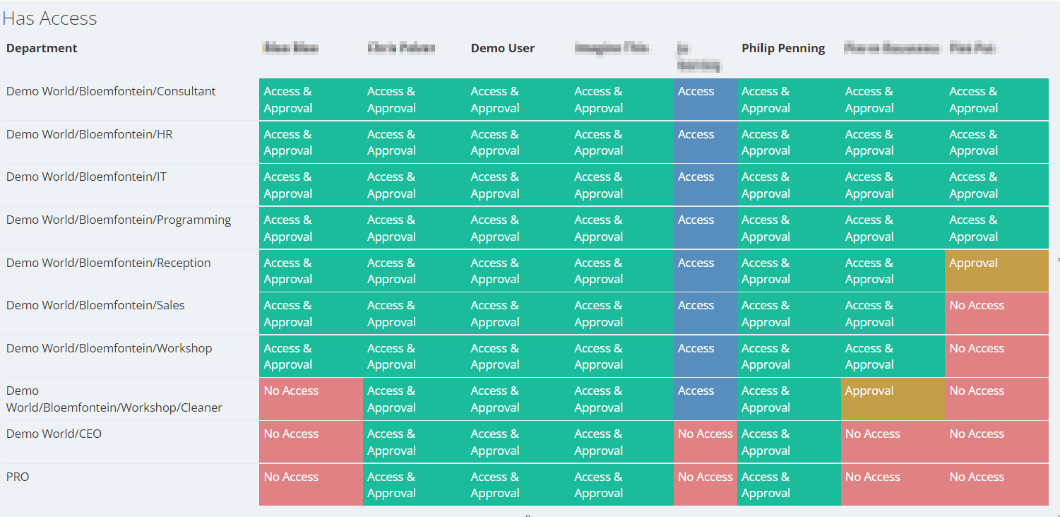
Access can be granted on multiple levels. Such as determining which departments a user has access to and whether they can view and approve. Consequently, this not only enhances security but also ensures optimal data integrity within each department or sector
Auditing and verification
Export Auditing
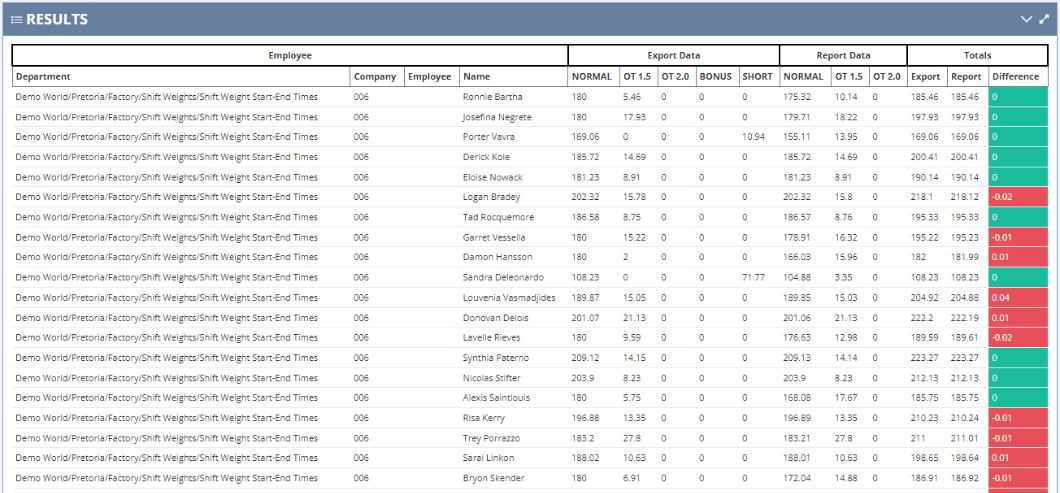
BioSyn enables users to conduct comparative audits between reports and export batches (payroll runs). Specifically, these audits will effectively pinpoint any inconsistencies between reports and the final payroll data.
Consequently, this gives you the peace of mind that data integrity is consistently maintained across all batches. Furthermore, additional reports are readily available for a more in-depth audit of exports and values.